
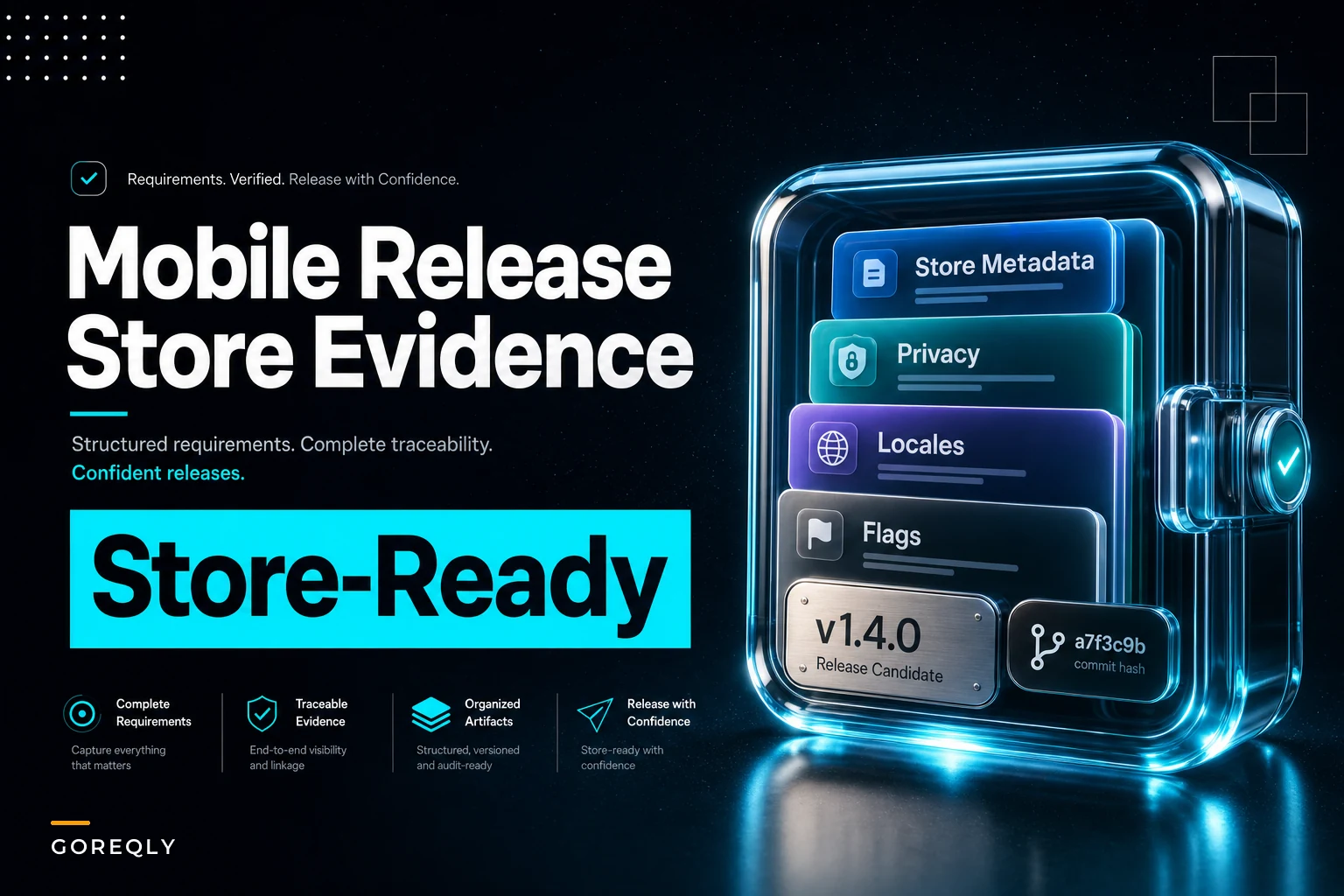

Most mobile release delays don't come from broken code. They come from missing evidence — the metadata, disclosures, and proof-of-behavior that Apple and Google reviewers expect before they'll let a build through. And the frustrating part is that these gaps are completely predictable. You can write them into your requirements template so they never surprise you at submission time.
This is a tight look at how to build a mobile release requirements checklist that treats store review, feature flags, and localization as first-class requirements — not last-minute scrambles the night before a submission deadline.
The rejection you didn't see coming
A team ships a dating app update. Code's clean, QA passed, internal demo looked great. They submit to the App Store on a Thursday expecting a Monday approval. Instead they get a rejection on Saturday: the privacy nutrition label doesn't match the data the app actually collects, because a new analytics SDK was added two sprints ago and nobody updated the disclosure.
Now they're in a review loop. Fix the label, resubmit, wait another 24–48 hours, miss the marketing window tied to a paid campaign that's already live. The campaign spend keeps burning while the app sits in review.
Nobody wants to admit it, but that rejection was authored three sprints earlier — the moment the SDK was added without a requirement that said "any new data-collecting dependency must update the privacy disclosure before release." The reviewer just found it last.
Store rejections almost always trace back to a requirement that was never written down. A disclosure, a localized screenshot, a flag default. The build was fine. The evidence wasn't.
Store metadata belongs in your requirements, not your submission checklist
Teams tend to treat store metadata as a publishing task — something the release manager fills in on the store console an hour before submitting. That's where it goes wrong. Metadata has review-relevant constraints, and those constraints are requirements.
Stop losing track of critical project requirements.
GoReqly helps you capture, organize, and track every requirement with precision and clarity.
- Centralized requirements repository
- Collaborative editing & commenting
- Traceability & version control
No credit card required
A typical example: an app advertises "unlimited storage" in the App Store description, but the actual feature is capped at 50GB behind a flag. Apple flags it as misleading. Or a screenshot shows a feature that's still behind a disabled flag, so the reviewer can't find it in the build and rejects for "metadata doesn't match functionality."
Your requirements template should carry a metadata block that ties each store-facing claim back to a verifiable feature state:
| Metadata field | Requirement it must match | Review risk if mismatched |
|---|---|---|
| App description claims | Enabled features in the submitted build | Misleading metadata rejection |
| Screenshots / previews | Current UI state, correct locale | Metadata-functionality mismatch |
| Age rating / content descriptors | Actual content and flag-gated features | Rating escalation, re-review |
| "What's New" notes | Shipped changes in this build only | Unverifiable claims |
| Privacy label | Live data collection, including SDKs | Disclosure mismatch, hard reject |
The pattern worth internalizing: every store-facing claim is an assertion about the build. If the assertion can't be verified against the actual submitted binary, it's a rejection waiting to happen.
Privacy disclosures: the gap between "what we built" and "what we declared"
Privacy disclosures fail for one boring reason — the people who update the disclosure aren't the people who add the data collection. A backend engineer wires in a crash-reporting SDK. A growth PM adds an attribution tool. Neither of them touches the privacy label, because in their mental model that's someone else's job.
What tends to happen: the disclosure drifts out of sync with reality over four or five releases, and then one review cycle catches all of the accumulated drift at once.
The fix is to make the disclosure a derived artifact rather than a manually maintained document. Treat your data-collecting dependencies as a tracked inventory, and make any change to that inventory trigger a disclosure review. Concretely:
-
Maintain a dependency manifest that flags which SDKs and services touch user data.
-
Require that any PR adding or upgrading a data-touching dependency include a disclosure impact note.
-
Snapshot the current disclosure state in CI and diff it against the manifest.
-
Fail the release-readiness check if the manifest and disclosure disagree.
-
Require a named privacy signoff only when the diff is non-empty.
That last point matters. You don't want a signoff gate on every release, only on the ones where data behavior actually changed. Over-governing kills velocity; targeting the gate to real deltas keeps it cheap.
Feature-flag rollback rules: the part everyone writes down and nobody tests
Most teams have feature flags. Far fewer have rollback rules for those flags written as actual requirements. The gap shows up at the worst moment — a flag misbehaves in production, and the on-call engineer has to guess whether flipping it off is safe.
The quiet failure mode is the flag that can't be cleanly turned off because the feature wrote data in a new format. You flip the flag back, and now the old code path chokes on records the new path created. The rollback makes things worse than the original bug.
A mobile flag requirement should specify, at minimum:
-
Default state at release — on, off, or percentage, and why.
-
Rollback safety — whether turning the flag off is safe given any data migrations or schema changes.
-
Forward-compatibility note — can old app versions tolerate the flag being on? Mobile is the hard case here, because users don't all update at once. A flag you flip server-side affects users running a build from three versions ago.
-
Cleanup owner and date — who removes the dead flag, and when.
That forward-compatibility point is specific to mobile and gets missed constantly. On web you control the client. On mobile, a server-controlled flag can light up a code path in an app binary that shipped months ago and was never tested against that flag state. Your requirement needs to state which app versions the flag is actually safe for.
For teams already managing flags against requirements, this connects directly to how flag changes get communicated when something goes sideways — the requirement change communication playbook covers the escalation-by-severity side of that, so a rollback doesn't turn into a Slack free-for-all.
Localization evidence: proving the thing actually works in every locale
Localization requirements usually stop at "strings are translated." That's not what reviewers or users care about. They care whether the app functions in each locale — currency formatting, date formats, right-to-left layout, text that doesn't overflow its container, and store listings that match the in-app language.
-
A screenshot of key screens rendered in that locale.
-
Confirmation that store listing language matches in-app language.
-
Verification of locale-specific formatting (currency, dates, numbers).
-
RTL layout check where applicable.
-
Evidence that no strings fall back to the default language unexpectedly.
The thing most teams miss: localization isn't binary per-language, it's per-screen-per-language. A single untranslated error dialog in one locale is still a defect. Tracking it at the language level hides the gaps; tracking it at the screen level surfaces them.
CI snapshot recipes: making evidence collectable instead of manual
The reason all of this falls apart at submission time is that the evidence lives in people's heads and on local machines. The release manager asks "did we update the privacy label?" and gets three different answers. The fix is to have CI capture the evidence as part of the build, so the state is recorded at the moment the binary is produced — not reconstructed from memory two days later.
A practical snapshot recipe for a release candidate:
-
Build the release binary and tag it with the version and commit.
-
Snapshot the flag configuration at build time — which flags, defaults, and target versions.
-
Export the dependency manifest and diff it against the last approved privacy disclosure.
-
Generate localized screenshots via automated UI runs for each supported locale.
-
Capture store metadata as a versioned file in the repo, so description and claims are reviewed in PR, not in the console.
-
Bundle all of it into a single release-evidence package keyed to the build.
Here's a simple workflow visualization.
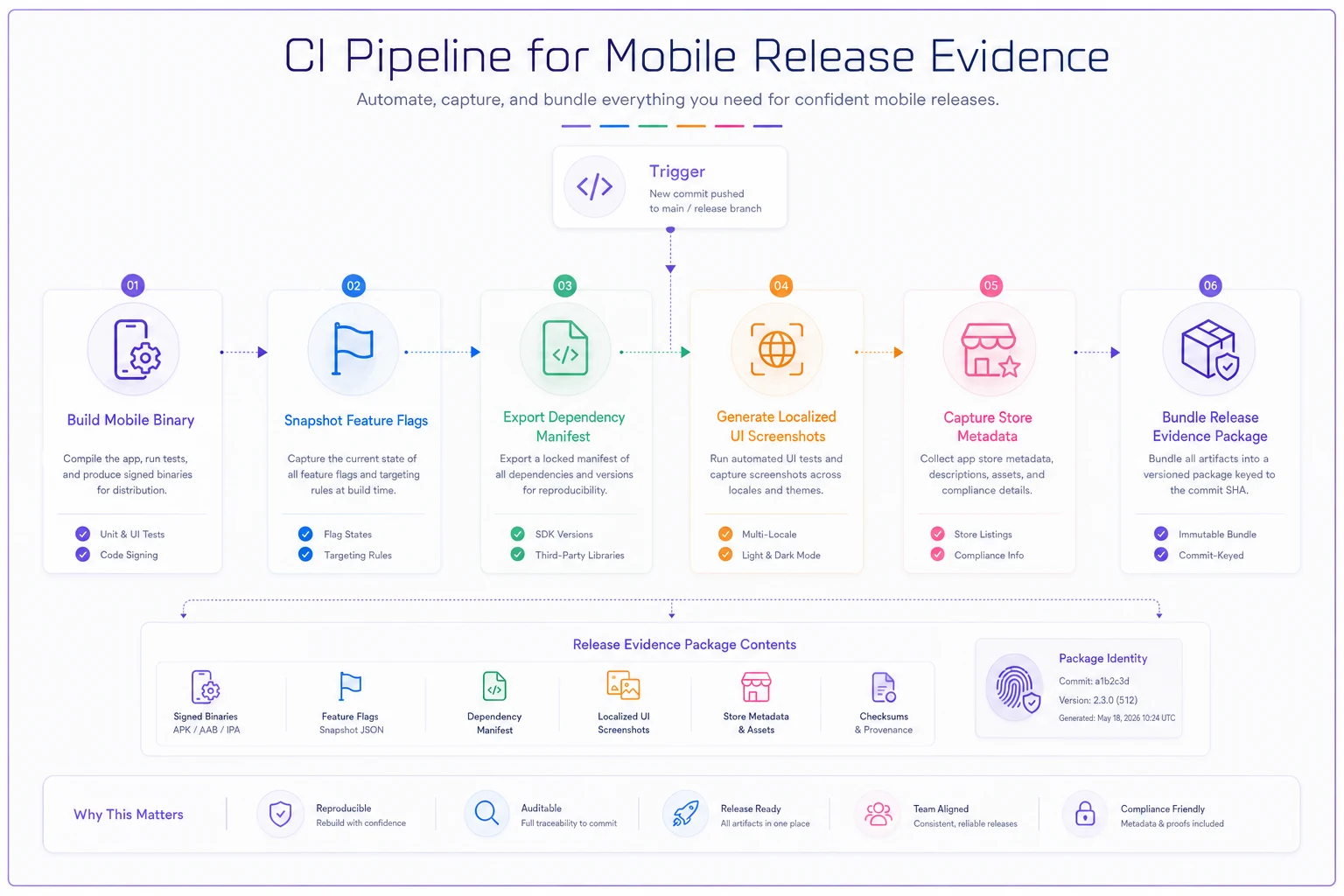
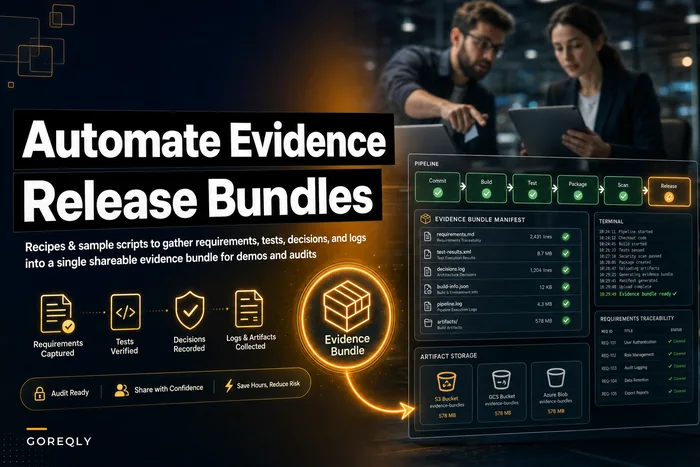
That last step — bundling evidence against a specific build — is what makes store submissions boring instead of stressful. When the reviewer asks a question, you point to the package tied to the exact binary they're looking at. The mechanics of assembling these packages are worth setting up properly; the approach in build automated release evidence bundles maps cleanly onto mobile submissions once you add the store-specific artifacts above.
Packaging guidance for the actual submission
When you get to submission, the packaging discipline is simple but easy to botch under deadline pressure:
-
Submit the exact binary that the evidence package describes — no last-minute rebuilds that invalidate the snapshots.
-
Match screenshots to the submitted build's UI, including any flag states that will be live at launch.
-
Ensure the privacy label reflects the dependency manifest of this binary, not the previous release.
-
Confirm staged rollout settings (Google) or phased release (Apple) align with the flag rollback plan, so you can halt distribution if a flag misbehaves.
-
Keep "What's New" notes scoped to this build — reviewers cross-check them.
One packaging mistake worth calling out: rebuilding after evidence capture. A team captures screenshots and disclosures against build 142, then fixes a tiny typo and submits build 143. Now the evidence describes a binary that isn't the one under review. Freeze the candidate before you capture evidence, and treat any change after that as a new candidate with fresh evidence.
A real scenario
A small team maintaining a fitness app — around 8 supported locales, roughly 40k monthly active users — was averaging two or three store rejections per release, mostly privacy-label and localization mismatches. Each rejection cost them a day or two of review turnaround, and because they timed releases to coincide with monthly content drops, a slipped release meant promoting content users couldn't access yet.
They moved three things into their requirements template: a dependency manifest tied to the privacy disclosure, per-locale screenshot evidence captured in CI, and explicit flag rollback rules with target-version notes. The first release after that went through on the first try. Over the next few cycles, rejections dropped to occasional edge cases rather than the norm, and the release manager stopped spending submission days answering "did we update X?" The build quality hadn't changed much — the evidence discipline had.
When this level of rigor makes sense — and when it doesn't
When it's worth it: multiple locales, data-collecting SDKs, feature flags controlling user-visible behavior, releases tied to marketing or content windows, or any app where a rejection has a real cost downstream. The more moving parts between "code is done" and "store approves," the more this pays off.
When it's overkill: a single-locale internal app, no third-party data collection, no flags, and a team that releases when it's ready with no external deadline pressure. Forcing a full evidence pipeline onto a two-person internal tool just adds ceremony. Start with the one or two gaps that have actually bitten you, and add the rest only when the pain is real.
Who should skip most of this: very early-stage apps still finding product-market fit, where submission cadence is low and the cost of a rejection is a mild annoyance rather than a missed campaign. Get the privacy label right because that one's a hard reject — but don't build the whole CI evidence apparatus before you need it.
The pattern underneath all of it
Store rejections feel random when you treat metadata, disclosures, flags, and localization as submission-time tasks. They stop feeling random the moment you treat them as requirements with evidence attached to a specific build. The reviewer isn't asking you to do new work — they're asking you to prove the work you already did. If that proof is captured when the binary is built, submission becomes a formality instead of a gamble.
The teams that ship smoothly aren't the ones with cleaner code. They're the ones who decided, ahead of time, exactly what evidence each release has to carry — and made sure it couldn't go missing between the last commit and the submit button.
Store rejections feel random when you treat metadata, disclosures, flags, and localization as submission-time tasks. They stop feeling random the moment you treat them as requirements with evidence attached to a specific build. The reviewer isn't asking you to do new work — they're asking you to prove the work you already did. If that proof is captured when the binary is built, submission becomes a formality instead of a gamble.
The teams that ship smoothly aren't the ones with cleaner code. They're the ones who decided, ahead of time, exactly what evidence each release has to carry — and made sure it couldn't go missing between the last commit and the submit button.
Ready to transform your product delivery?
Join 2,000+ teams using GoReqly to improve requirements accuracy, reduce rework, and accelerate time to market.