

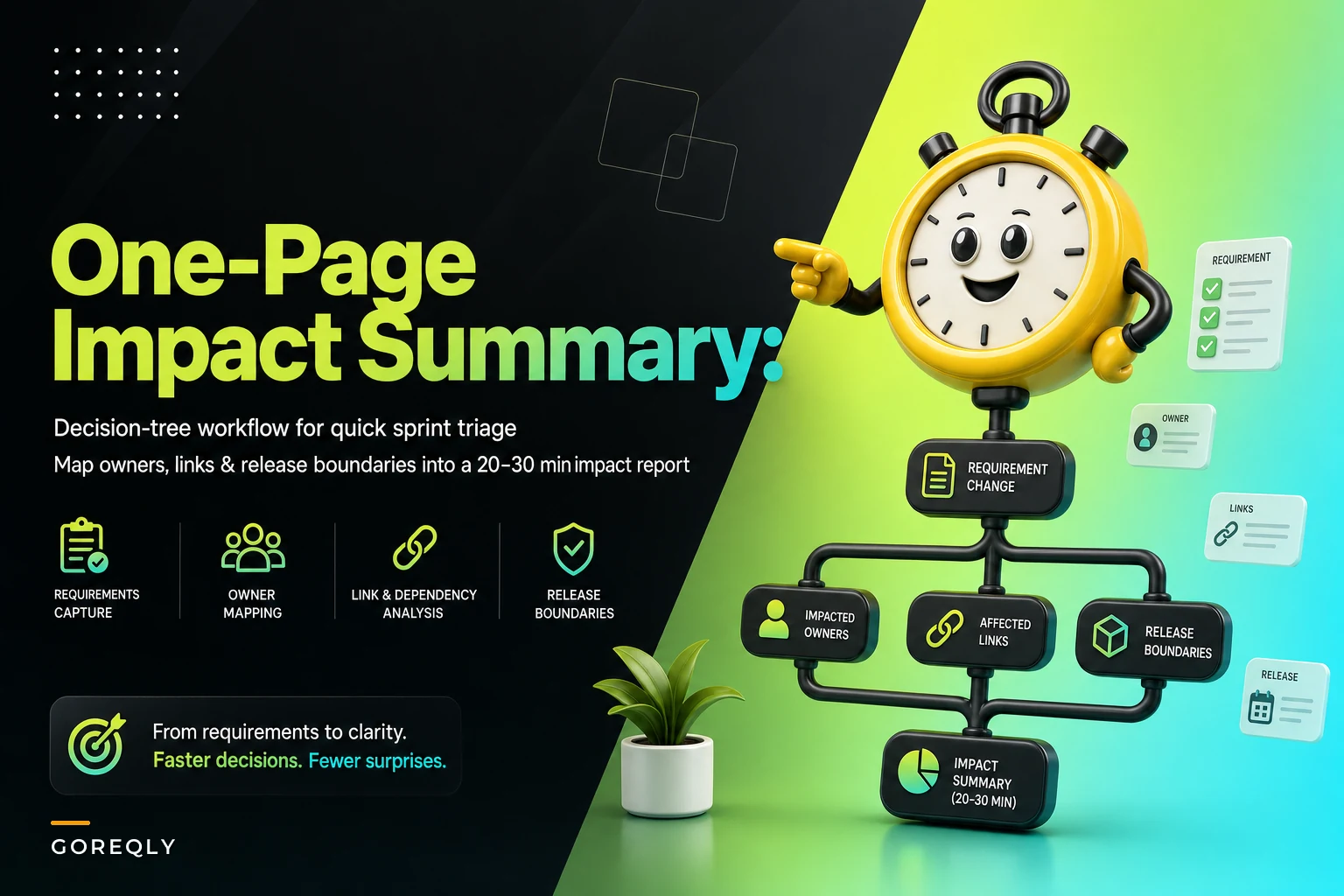

The worst place to figure out the blast radius of a change request is in the middle of sprint planning, with eight people watching a PM squint at Jira and mumble "I think this touches the payment flow?"
That's where a lot of teams live though. A change request lands — usually mid-sprint, usually from someone important — and everything stalls because nobody can say with confidence what it actually affects. The request gets a vague estimate, gets pulled in anyway, and blows up two days later when someone discovers it also changes the refund logic and breaks three integration tests. The fix isn't a bigger analysis process. It's a smaller one with a hard clock on it. This is about running fast impact analysis in a fixed time window — 20 to 30 minutes, no more — and walking out with a one-page summary that a room full of people can actually make a decision on.
Why impact analysis balloons in the first place
Impact analysis has no natural stopping point. You can always trace one more link, ping one more owner, open one more file. Without a time box, analysis expands to fill whatever space you give it, and the answer you produce at minute 90 is usually not meaningfully better than what you'd have had at minute 25.
-
The analysis becomes a research project. Someone opens the codebase, starts reading, and forty minutes later they understand the module deeply but still can't tell you if the change is a 2-pointer or a 13.
-
The analysis becomes a meeting scheduler. "I need to check with the data team, and the mobile team, and whoever owns billing now." Three days of Slack tags later, you have your answer and the sprint's already committed.
-
The analysis becomes a guess dressed up as a plan. Nobody wants to look uncertain, so the change gets a confident-sounding estimate with zero actual tracing behind it.
What all three share: there's no agreed method for deciding how deep is deep enough. A time-boxed decision tree fixes that by making depth a function of the answers, not a function of how much time someone has free that afternoon.
The real cost of skipping it (or overdoing it)
Say a team of six, mid-sized product, pulls in a "small" change request during planning without proper impact analysis. The request touches a shared validation utility. Nobody flags it. Three days into the sprint, QA finds regressions across two other features that used the same utility. Now you're looking at:
Stop losing track of critical project requirements.
GoReqly helps you capture, organize, and track every requirement with precision and clarity.
- Centralized requirements repository
- Collaborative editing & commenting
- Traceability & version control
No credit card required
-
Roughly a day and a half of rework to fix the collateral breakage
-
A delayed release because the regression suite needs a full re-run
-
Two other stories bumped to the next sprint to make room
That's the skipping failure. But over-analysis has a cost too — it's just quieter. When a team spends 90 minutes on every incoming change, planning stretches, decisions get deferred "pending analysis," and the backlog develops a queue of half-analyzed requests nobody wants to touch. The drag is real, it just doesn't show up as a fire.
Time-boxing exists to sit between those two failure modes on purpose.
The decision tree, walked through
Below is the actual tree. The goal is to answer questions in order and stop as soon as the answer is clear enough to plan around. You are not building a complete map of the system. You're building a summary good enough for a go/no-go, defer, or split decision.
Here's a quick visual of the decision tree workflow.
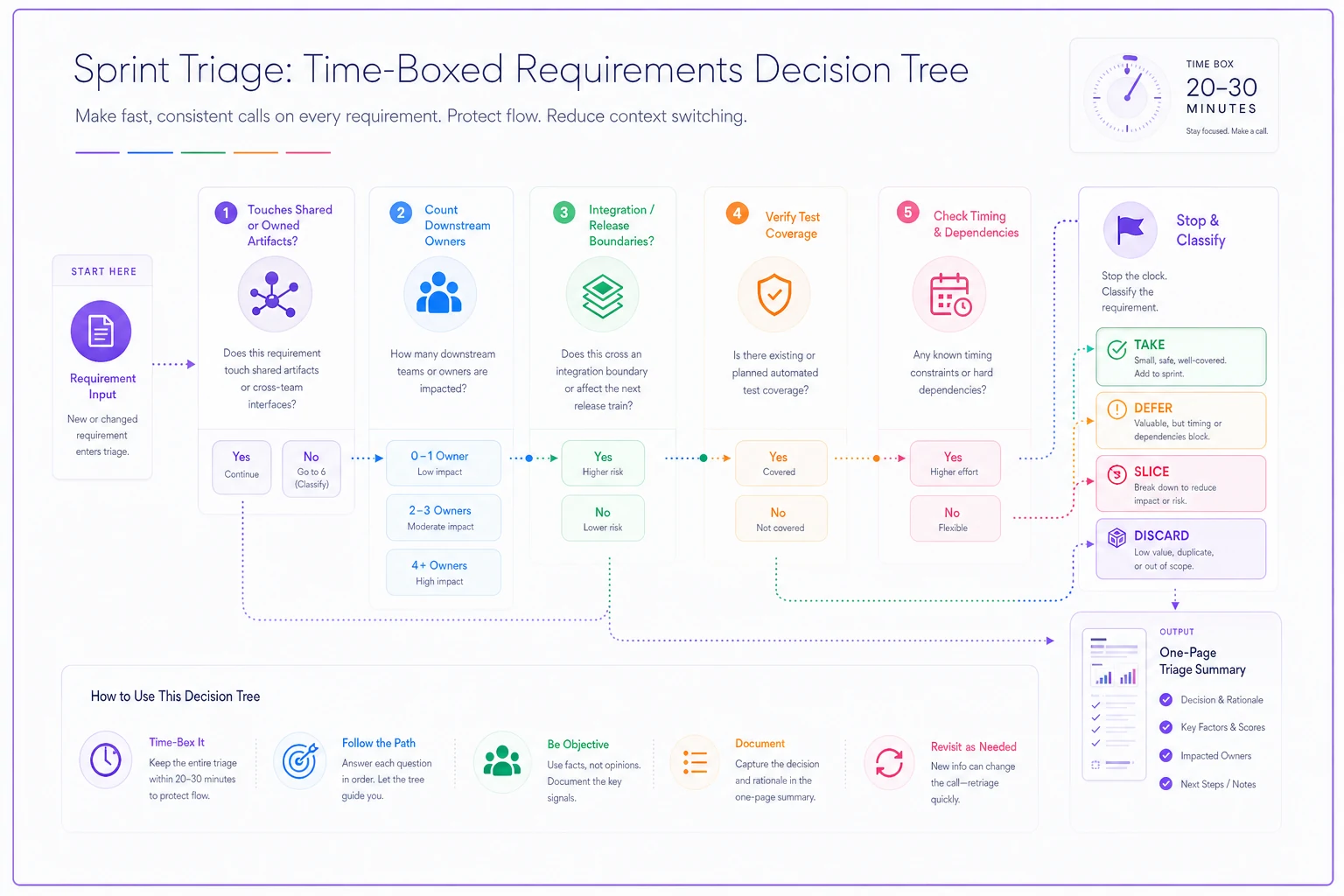
Step 1 — Does the change touch a shared or owned artifact? Start at the requirement, not the code. Look at what the change request links to. If it maps to a requirement with a single clear owner and no downstream links, you're probably in easy territory. If it maps to a requirement linked to multiple features, integrations, or NFRs, you're in fan-out territory and need to keep going.
Step 2 — How many owners are downstream? Follow the requirement links one hop out. Count distinct owners, not distinct artifacts. Three artifacts owned by one person is a conversation. Three artifacts owned by three teams is a coordination problem, and coordination problems are what actually kill estimates.
Step 3 — Does it cross a release boundary or an integration contract? If the change touches anything with an external contract — a third-party integration, a published API, a shared event — flag it immediately. These are the changes where "small" and "catastrophic" are separated by a single field rename.
Step 4 — Is there test coverage on the affected paths? If the linked requirements have test coverage, your risk of silent regression drops sharply and you can size with more confidence. If they don't, the honest answer is that your estimate has a wide error bar and you should say so on the summary.
Step 5 — Stop and classify. By now you have enough to drop the change into one of four buckets. That classification is the output.
| Answers so far | Classification | Recommended action | Rough sizing confidence |
|---|---|---|---|
| Single owner, no downstream links, tested | Contained | Pull in, size normally | High |
| One owner, a few downstream links, tested | Localized | Pull in with a note | Medium-high |
| Multiple owners, no contract crossing | Coordinated | Defer one sprint or pre-align owners | Medium |
| Crosses integration/release boundary | Boundary risk | Do not pull in without a spike | Low |
| Affected paths have no test coverage | Blind spot | Size with wide range, flag risk explicitly | Low |
The magic isn't the tree itself. It's that the tree tells you when to stop tracing. The moment you hit "Boundary risk," you don't need to keep counting owners — you already know the answer is "spike first."
What actually goes on the one page
The output is deliberately boring. A one-page impact summary that anyone in planning can read in under a minute. No prose. Structure looks like this:
-
Change request — one line, plus the source (who asked, why).
-
Linked requirements — the requirement IDs this touches, one hop out.
-
Affected owners — names or teams, not artifacts. This is the line people argue over, so put it near the top.
-
Classification — Contained / Localized / Coordinated / Boundary risk / Blind spot.
-
Test coverage status — covered / partial / none on the affected paths.
-
Recommendation — pull in, split, defer, or spike.
-
Confidence + known unknowns — one honest sentence. "We haven't confirmed the mobile client uses this endpoint."
That last line matters more than people expect. A summary that admits its own gaps is worth ten summaries that project false certainty. When the blind spots are written down, the room can decide whether to accept the risk — instead of discovering it in QA.
Where the requirement links do the heavy lifting
The whole technique falls apart if you can't follow a change back to requirements and forward to owners in a couple of minutes. That's the actual prerequisite. Teams with clean requirement-to-artifact links can run the tree in 20 minutes. Teams that don't end up doing archaeology on every request, and the time box becomes a joke.
This is where good tooling earns its keep, quietly. If your requirements and ownership are already linked in a system where a change request can surface its downstream requirements and owners automatically, the "quick-mapping" part of the tree stops being manual. Instead of hunting through docs and pinging people to ask "do you still own this?", the fan-out is right there. AI-assisted operational platforms that keep these links current can pre-populate most of the one-page summary — linked requirements, affected owners, coverage status — leaving the human to do the part humans are actually good at: judgment on the recommendation.
Pro-tip: if your tooling can surface downstream requirements automatically, run the tree faster.
Worth keeping in mind: automation should hand you the map so you can spend your 20 minutes making the call. If you're spending the time box rebuilding the map by hand, no amount of decision-tree discipline will save you.
A real scenario
A roughly seven-person team on a B2B scheduling product kept blowing sprint commitments — around a third of their sprints carried at least one change-request-driven regression that wasn't caught until QA. Planning meetings ran long because impact analysis happened live, in the room, badly.
They put in two changes. First, every incoming change request had to produce a one-page summary using the tree before it could be discussed in planning. Second, they capped analysis at 25 minutes; if it wasn't classifiable in that window, it auto-defaulted to "spike first, discuss next sprint."
Over the next couple of months, the pattern shifted. Regression-driven surprises dropped noticeably — not to zero, but the mid-sprint blowups became the exception rather than the rhythm. Planning got shorter because the arguing happened on paper beforehand. More changes got deferred on purpose, which felt slower but actually meant fewer half-baked pulls clogging the sprint. Their own read was that the biggest win wasn't speed — it was that "we don't know yet" became an acceptable, documented answer instead of something people talked around.
When this makes sense
This approach fits teams that get a steady flow of mid-cycle change requests and keep some form of requirement-to-artifact links. If changes come in constantly and each one triggers a debate, the time box pays for itself fast.
It's also a good fit when you have multiple owners across a codebase, because the tree's design is built around counting owners rather than files.
When it's a bad idea
If your team ships one big planned scope per quarter and rarely deals with surprise change requests, this is overhead you don't need. The tree solves a frequency problem.
It also doesn't work if your requirement links are stale or missing. You can't quick-map links that don't exist or that point at dead artifacts. Fix the traceability first; the tree assumes it.
And if your team culture punishes people for writing down "low confidence," the honesty parts of the summary will get gamed, and you'll be back to confident guesses with better formatting.
Who should not do this
Very small teams — two or three people who all know the whole system — usually don't need a formal tree. The impact analysis happens naturally in conversation, and adding a template just slows them down.
The technique earns its place once no single person can hold the full dependency picture in their head anymore. That's the real threshold, not team size on paper.
Getting started without a big rollout
You don't need a project to adopt this. Try it on the next three change requests that hit your team:
-
Set a 25-minute timer the moment analysis starts.
-
Start at the requirement, follow links one hop, count owners.
-
Stop tracing the instant you hit a boundary crossing or an untested path.
-
Fill in the seven-line summary, including the honest "known unknowns" line.
-
Bring only the one page to planning.
The first couple will feel awkward and you'll want to keep digging past the timer. Resist it. The whole value of the technique is that it forces a decision with good-enough information instead of a perfect analysis that arrives too late to matter. A one-page summary that lands on time beats a thorough one that shows up after the sprint's already committed.
The first couple will feel awkward and you'll want to keep digging past the timer. Resist it. The whole value of the technique is that it forces a decision with good-enough information instead of a perfect analysis that arrives too late to matter. A one-page summary that lands on time beats a thorough one that shows up after the sprint's already committed.
Ready to transform your product delivery?
Join 2,000+ teams using GoReqly to improve requirements accuracy, reduce rework, and accelerate time to market.